- 1
An inquiry enters a configured channel
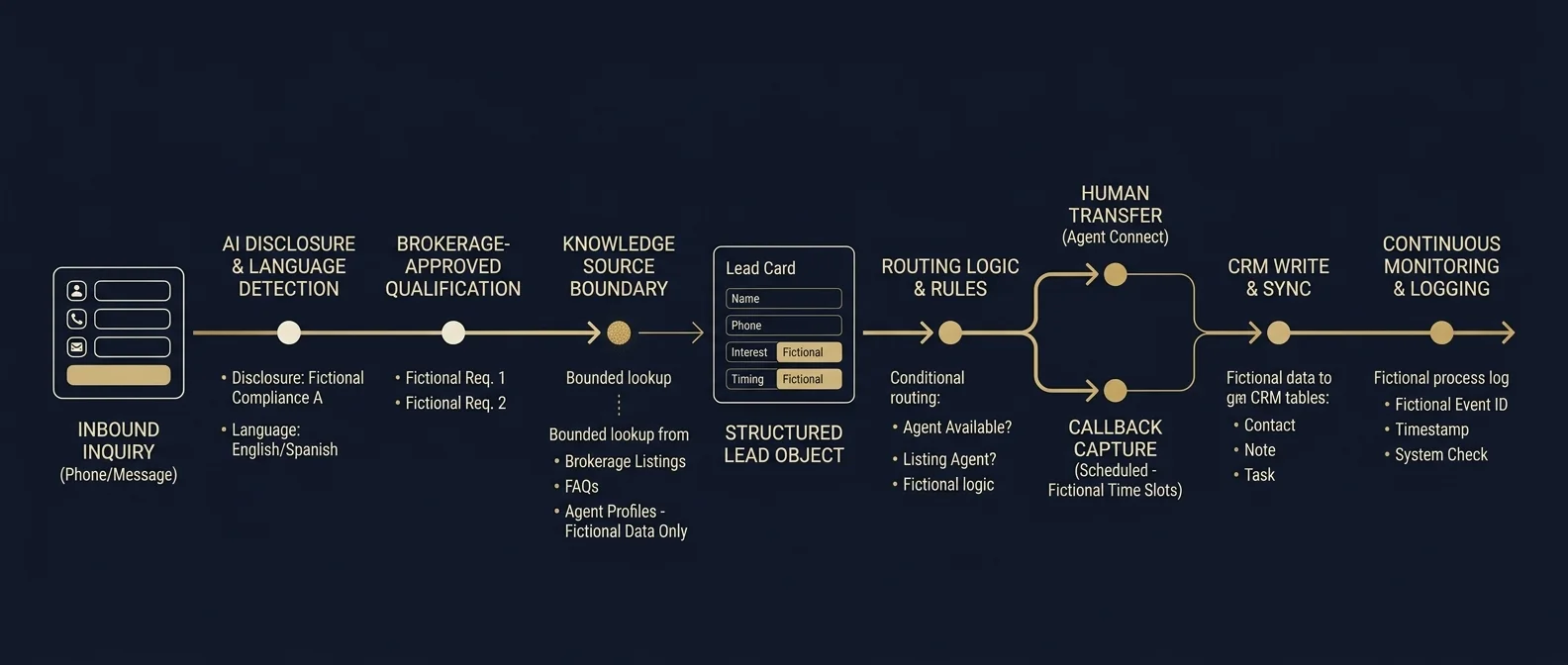
The workflow begins when a buyer, seller or other inbound contact reaches a channel connected to Veilleur.studio. Depending on the deployed configuration, that may include voice and other supported inbound sources. Each production channel must be explicitly connected, tested and documented rather than represented as “omnichannel” by default.
- 2
The system identifies its role and handles the conversation
The caller should understand that they are interacting with an AI-powered system. Veilleur.studio then handles the conversation inside the language and knowledge scope configured for the brokerage. For U.S. real estate workflows, English and Spanish are the primary language pair; French can be added where relevant.
- 3
The inquiry is qualified around the transaction, not the person
Qualification can capture buyer/seller/other intent, the property or listing involved, preferred timing, showing request, contact details, transaction-relevant criteria approved by the brokerage, and the requested next step. Qualification logic avoids protected-class profiling, steering and other behavior that creates Fair Housing risk.
- 4
The agent answers from configured knowledge — and stops when it should
The objective is not to make the AI sound certain about everything. It is to make the workflow dependable. If the system has the approved information, it can use it. If the answer is outside the configured knowledge or role, the correct action is to state the boundary, collect the question or escalate.
- 5
Conversation becomes data your team can use
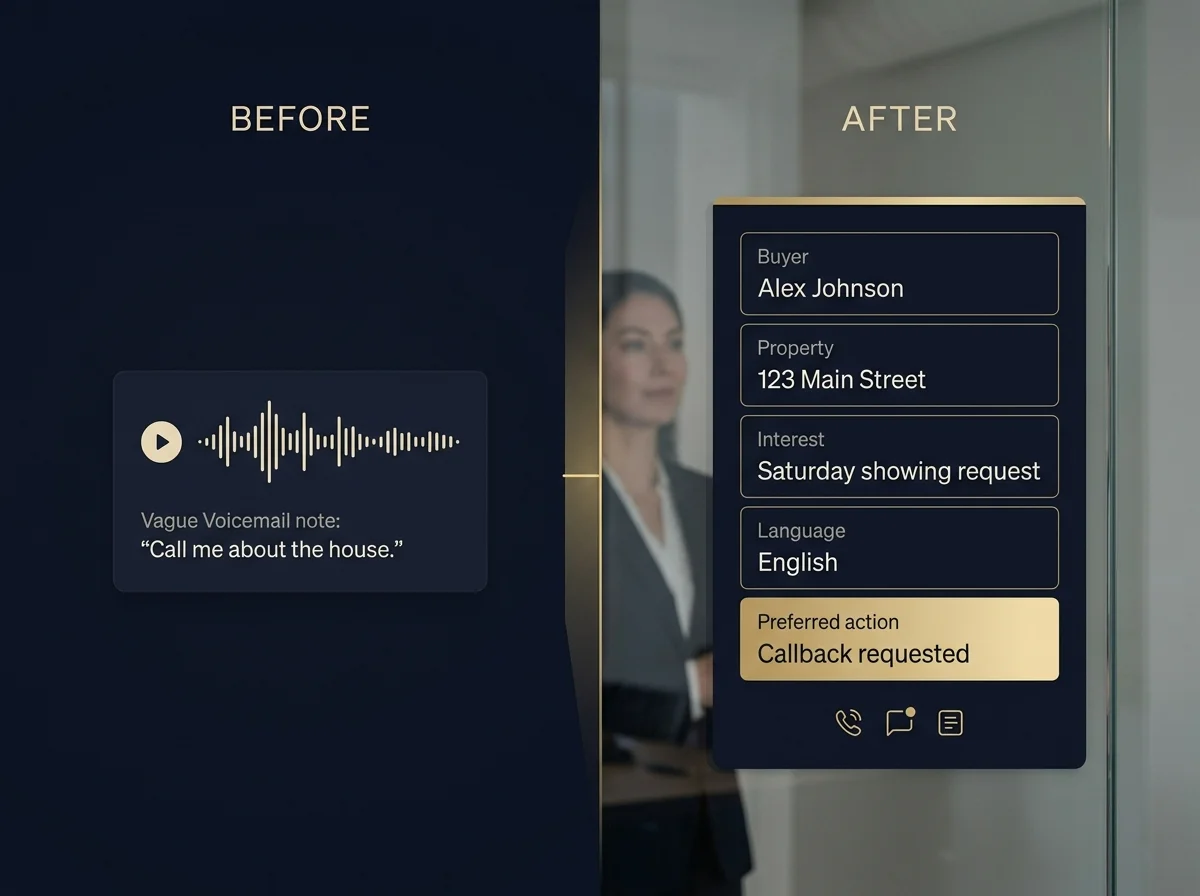
Instead of leaving an audio file or vague message, Veilleur.studio extracts the approved fields the next workflow needs: contact identity, source/channel, buyer/seller intent, property context, timing, requested action, language, qualification status, transcript or summary where permitted, and human-handoff requirement.
- 6
Brokerage rules decide what happens next
Routing is configured around the operating model of the brokerage: responsible agent, team, office, schedule, listing ownership, availability or other approved rules. Veilleur.studio does not invent routing logic at runtime; the behavior is defined, testable and reviewable.
- 7
A person takes over when a person is needed
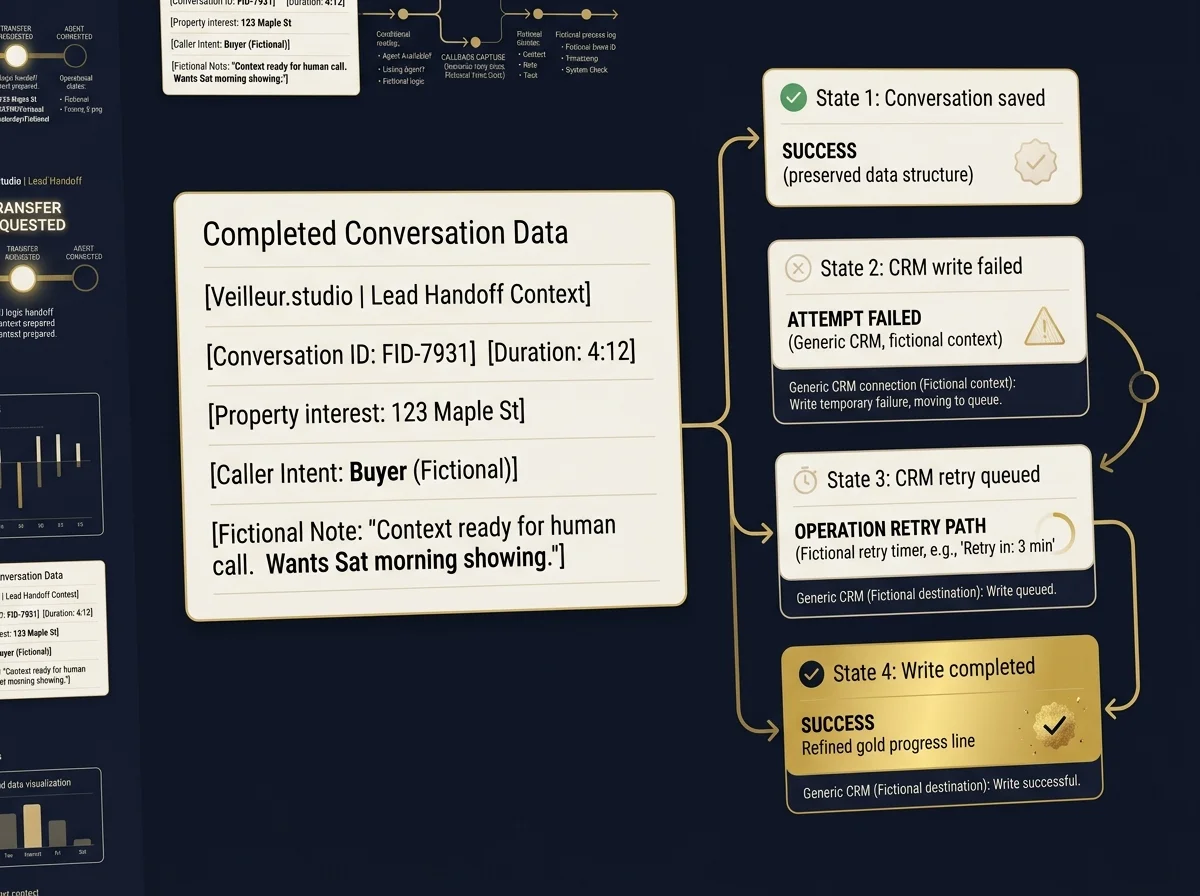
Depending on the use case, the workflow can transfer a live call, create a callback request or route the inquiry for human follow-up. The handoff carries the context already captured so the client does not have to restart the conversation.
- 8
The workflow writes back to the system your team uses
Where a supported integration exists, Veilleur.studio sends structured events into the customer’s CRM or lead-management workflow instead of creating another isolated database that agents have to monitor.
- 9
Failure is handled as a workflow state, not hidden as an exception
A CRM outage should not erase a conversation. An unsuccessful transfer should not leave the caller in silence. A system error creates an operational event that can be reviewed. Production designs include retry, queueing, fallback and incident handling appropriate to the deployed workflow.
- 10
Measure the workflow that actually happened
Operational telemetry tracks events such as call reception, AI session start, qualification completion, transfer attempts, CRM write success and fallback events — so the system improves from real workflow evidence rather than vanity metrics like “number of AI conversations.”

Start narrow. Validate. Then expand.
- Audit the first-response workflow.
- Define allowed questions, answers and escalations.
- Connect one use case.
- Run controlled scenarios.
- Approve production behavior.
- Monitor outcomes.
- Add channels or workflows when the first one is working as intended.